






Remote Installation JLR SDD Pathfinder V374 Offline 2023

$179.00
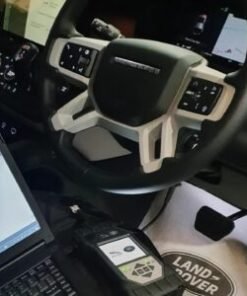
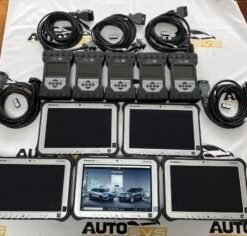
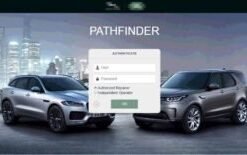
Remote Install JLR SDD Pathfinder V374 Offline 2023, Dealer System Pathfinder SDD System Installation to work with JLR DOIP VCI WF.
Remote Installation JLR SDD Pathfinder V374 Offline 2023
What Our Remote Installation Service Delivers
With the Remote Installation JLR SDD Pathfinder V374 Offline 2023 service, you receive a fully configured diagnostic laptop that handles every Jaguar Land Rover vehicle you encounter. Our engineer connects to your PC using a secure remote desktop application, installs the entire software stack, and tests the system live with your diagnostic interface. You do not struggle with complex setup guides or hunt for missing driver files. We do all the work for you, leaving you with a permanent, subscription-free diagnostic tool that runs offline—no internet needed once activated.
Why a Combined SDD and Pathfinder Setup Works Best
Jaguar Land Rover split their diagnostic eras between two platforms. SDD (Symptom Driven Diagnostics) covers the vast majority of vehicles built between 2005 and 2017. Pathfinder takes over from 2017 onwards, right up to the current model year. Many workshops invest in one tool and find themselves locked out of half the vehicles that roll into the workshop. This remote installation kit gives you both platforms in a single package, so you never turn away a job. The SDD v374 release includes up‑to‑date calibration files and an enhanced flash programming function. The Pathfinder Offline 2023 element delivers full programming, configuration, and immobiliser support for the latest JLR models. You switch between the two tools depending on the vehicle, all without needing to pay for separate subscriptions.
Everything You Can Do After Installation
Once our engineer completes the installation, you unlock the following capabilities across the entire JLR range:
- Read and clear fault codes from every ECU on the vehicle network
- Programme virginized body control modules, engine ECUs, ABS units, and instrument clusters
- Code replacement keys and synchronise immobiliser systems
- Flash updated firmware onto modules when resolving hardware faults
- Configure vehicle options—enable or disable factory features such as daytime running lights, navigation, and parking aids
- Perform service resets, steering angle sensor calibrations, and suspension height adjustments
You never face a locked function because you lack a subscription. The offline licence activates all features permanently.
How the Remote Installation Session Works
- You purchase the service and we dispatch a licence key with a link to download the required files.
- Our support team contacts you to schedule a remote session at a time convenient for you.
- On the day, you connect your J2534 interface (Mongoose Pro, VXDIAG, or equivalent) to your laptop, launch TeamViewer or AnyDesk, and our engineer takes over.
- The engineer installs SDD v374, Pathfinder Offline 2023, all necessary drivers, and the vehicle data packages. They also configure the software to recognise your specific VCI.
- We test the setup live—connecting to your interface, scanning a simulated network, and confirming that the programming functions respond correctly.
- The session ends only when you have a fully working dual‑platform diagnostic tool. The whole process typically takes 45–60 minutes.
Vehicle Coverage at a Glance
- SDD Coverage (2005–2017): Discovery 3, Discovery 4, Range Rover L322, Range Rover Sport L320, Jaguar X-Type, XF X250, XJ X350/X351, XK X150, and many more.
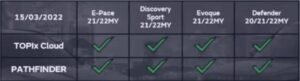
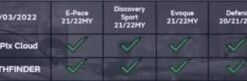
- Pathfinder Coverage (2017–2023): Range Rover L405/L460, Range Rover Sport L494/L461, Velar L560, Evoque L538/L551, Discovery 5 L462, Discovery Sport L550, Defender L663, Jaguar XE X760, XF X260, F-Pace X761, E-Pace X540, I-Pace, and all current models.
You service both eras with confidence, using the correct factory software every time.
What You Keep After the Installation
- A fully installed, offline‑enabled SDD v374 and Pathfinder 2023 suite on your own laptop
- Permanent licence activation—no monthly or annual fees
- Free software updates, which we supply through our secure download portal
- Technical support available whenever you need guidance on using the tools
- Detailed PDF documentation covering basic workflows and common procedures
System Requirements
Your laptop needs to meet these specifications before the remote session:
- Windows 10 or 11 (64‑bit) with at least 8 GB RAM and 200 GB free hard‑drive space
- A working internet connection during the installation only
- A J2534‑compliant diagnostic interface (we recommend the Mongoose Pro or VXDIAG VCX SE—both available from SX‑CAN)
- TeamViewer or AnyDesk installed for the remote session
If you do not yet own a suitable VCI, contact us and we can supply one alongside the software installation.
Why Workshops Choose SX-CAN for Their Diagnostic Setup
We specialise solely in Jaguar Land Rover electronics and software. Our engineers know every configuration file, registry entry, and driver that these tools require. When you book a remote installation with us, you do not receive generic support from a call centre—you get an experienced JLR diagnostics specialist who configures your laptop personally. We test everything before the session ends, so you avoid the frustration of a half‑working tool. We also stand behind our installation with free follow‑up support. If a Windows update disrupts the software, we help you restore it at no charge.
Frequently Asked Questions
Q: Do I need to buy the SDD and Pathfinder software separately?
A: No. The package includes both SDD v374 and Pathfinder Offline 2023. You receive one licence key that activates both platforms.
Q: Can I reinstall the software later if I replace my laptop?
A: Yes. Contact our support team, and we provide a fresh download and reactivation at a small service fee, or sometimes at no cost for long‑term customers.
Q: Does the software work with my existing VCI?
A: As long as your VCI complies with the J2534 standard and works with the original online tools, it will work with our offline installation. We will verify this during the session setup.
Q: What happens if the software stops working after a Windows update?
A: We offer free technical support for such issues. In most cases, our engineer can reconnect remotely and restore the configuration within minutes.
Book Your Remote Installation Now
Order the Remote Installation JLR SDD Pathfinder V374 Offline 2023 service and let our engineer turn your laptop into a full JLR diagnostic powerhouse. Add the service to your basket, and our team will contact you to schedule a convenient session. Enjoy permanent, offline dealer diagnostics with no hidden costs and full aftercare support.
Related products
JLR Diagnostics

JLR Diagnostics
JLR Diagnostics
JLR Diagnostics
JLR Diagnostics
Remote Software Install SDD Pathfinder Work with JLR-DOIP-VCI-WF
JLR Diagnostics
JLR Diagnostics