

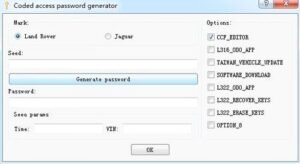
JLR Code Access Password Generator (Unlimited Token)


$69.00
JLR Code Access Keygen Password Generator
Product Description:
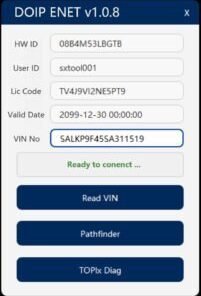
This tool calculates the required security keys (often referred to as “seed-key” or “login codes”) needed to gain privileged access to protected during diagnostic, programming, or coding procedures. It is commonly used when performing module replacement, immobilizer pairing, key programming, or advanced configuration changes that require a security access level beyond standard diagnostics.
Key Functions:
- Generate security access passwords for JLR ECUs and modules.
- Calculate seed-key responses for module unlocking and programming.
- Provide login codes for immobilizer and key programming procedures.
- Support for security access levels (Level 1, Level 2, Level 3, etc.) as required by specific modules.
- Offline operation – no internet connection, TOPIx login, or subscription fees required.
How to Set the Preferences in PATHFINDER?
- Select the PATHFINDER icon on the J LR Application Launcher.
- Select ‘Other User’ and enter your ‘User Identification’ and Password details.
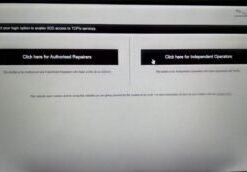
- Select ‘Independent Operator’ or Authorise Repairer.
- Select ‘OK’ and log in.
- Read the content of the ‘Warning’ pop-up and select ‘OK’.
- Select the three-bar icon in the top right of the screen. Select the ‘Settings’ icon.
Related products
JLR Diagnostics
$149.00

JLR Diagnostics
Remote Software Install SDD Pathfinder Work with JLR-DOIP-VCI-WF
$199.00

JLR Diagnostics
$179.00
JLR Diagnostics
$99.00

JLR Diagnostics
$319.00
JLR Diagnostics
$69.00
JLR Diagnostics
$69.00


$2,799.00