







Ultimate JLR Diagnostic Kit – Tablet, Software & DoIP VCI
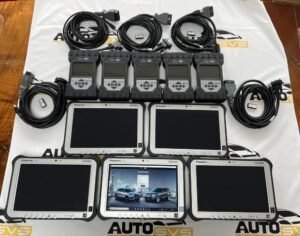
Transform your Jaguar Land Rover diagnostics with the 2022 Pathfinder System on a Panasonic FZ-G1 i5-6300U rugged tablet. This all‑in‑one package gives you genuine JLR dealer‑level software, a fast Intel Core processor, and a dedicated JLR DoIP VCI with WiFi. Simply unpack the kit, power on the tablet, and start diagnosing every modern JLR vehicle. The combination eliminates complicated setup and puts professional‑grade capability straight into your hands.
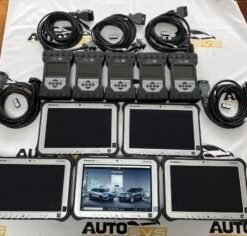
What You Receive
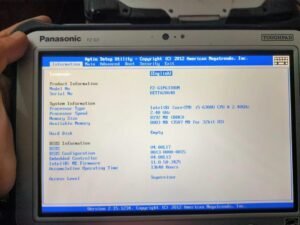
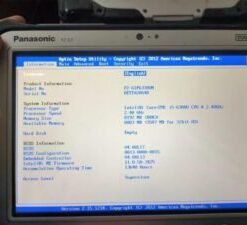
- Panasonic FZ‑G1 Toughpad – Intel Core i5‑6300U, 8 GB RAM, 256 GB SSD, Windows 10 Professional, 10.1‑inch daylight‑readable touchscreen
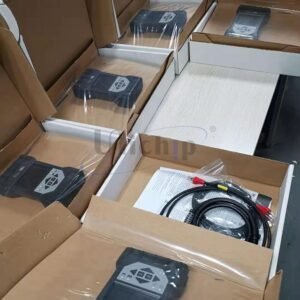
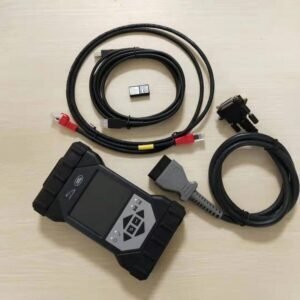
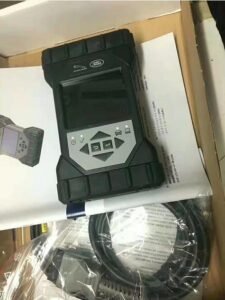
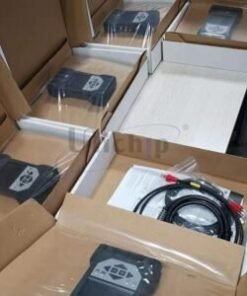
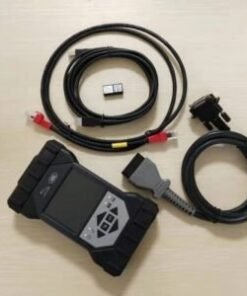
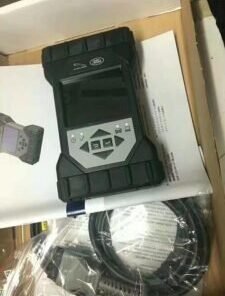
- JLR DoIP VCI WF (WiFi) Interface – Official JLR‑approved vehicle communication module with full DoIP, CAN, CAN‑FD and wireless operation
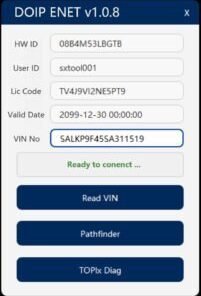
- 2022 Pathfinder Diagnostic Software – Pre‑installed, licensed and updated genuine JLR Pathfinder application
- All Connection Cables – OBD II flying lead, AC charger, USB tethering cable
- 12‑Month Software Support – Direct access to our technical team for installation and usage queries
Rugged Tablet That Works As Hard As You Do
The Panasonic FZ‑G1 handles workshop knocks, dust, and fluid spills without a glitch. MIL‑STD‑810G certification and an IP65 rating mean the tablet resists drops from 120 cm and drives through dusty, wet conditions. You operate the 10.1‑inch Full HD screen while wearing gloves, and the ambient‑light‑sensing display remains crisp even under workshop floodlights. The removable battery powers a full day of diagnostics, and the hot‑swap function lets you change packs without shutting down the Pathfinder software.
Inside the fanless chassis, the Intel Core i5‑6300U processor opens configuration files, runs guided fault‑finding routines, and updates ECUs faster than standard laptops. The 256 GB solid‑state drive launches the Pathfinder application in seconds, and the 8 GB of memory keeps data‑heavy module programming smooth and stall‑free.
JLR DoIP VCI WF – Wireless Speed and Stability
The included JLR DoIP VCI WF brings diagnostics over Ethernet (DoIP) to your tablet through a secure WiFi link or a standard USB cable. Vehicles from 2018 onwards increasingly rely on DoIP for sensor calibration, module flashing, and security access. This VCI matches the factory tool in speed and protocol coverage, so you never suffer time‑outs or partial programming failures.
Because the interface communicates wirelessly, you move freely around the vehicle while running live data, actuations, or oscilloscope traces. The dedicated WiFi network maintains a rock‑solid link up to 30 metres away. When you need a wired connection, a single USB cable delivers both power and data to the VCI. The unit also supports legacy CAN and CAN‑FD buses, providing full backward compatibility with older JLR models.
Genuine 2022 Pathfinder Software – Dealer Functions Without Limits
This system runs authentic JLR Pathfinder software, not a cloned or reverse‑engineered copy. You enjoy full access to:
- Guided Fault Finding – Interactive session trees that pinpoint faults faster than manual searches
- Module Programming – Reflash ECUs with the latest JLR calibration files directly from the onboard database
- Immobiliser & Key Coding – Program keys, replace KVMs, and perform security synchronisation in‑house
- Car Configuration File (CCF) Editing – Read, edit, and write vehicle configuration data to enable features or adapt replacement parts
- Service Reset & Maintenance Functions – Reset service lights, perform electronic parking brake retractions, and carry out steering angle sensor calibrations
The 2022 software build covers all Jaguar and Land Rover models up to that production year and includes the full wiring diagrams, component locations, and torque specifications that technicians need every day.
Why Workshops Choose This Turnkey Bundle
Buying the tablet, VCI, and software from one source guarantees seamless integration. Our specialists pre‑install and test every copy of Pathfinder on the Panasonic FZ‑G1 before dispatch. You receive a ready‑to‑diagnose system that eliminates driver conflicts, licence errors, and compatibility guesswork. The DoIP VCI WF locks to the Pathfinder application without third‑party interfaces, keeping your diagnostic sessions safe and JLR‑compliant.
From independent garages to tyre shops offering JLR TPMS resets, this kit pays for itself quickly. You avoid lost hours waiting for generic tools to support new platforms, and you stop paying per‑vehicle coding fees to dealers. Every update you need for 2022‑model‑year vehicles sits already on the tablet, ready to use.
Package Specifications at a Glance
| Component | Key Specification |
|---|---|
| Panasonic FZ-G1 | Intel i5-6300U / 8GB / 256GB SSD / Win 10 Pro / 10.1″ Full HD IPS touchscreen / IP65 / MIL-STD-810G |
| JLR DoIP VCI WF | DoIP (1000Base-T), CAN, CAN-FD, ISO 22900-2, WiFi 802.11ac dual-band, USB 3.0, OBD II 16-pin |
| Pathfinder Version | 2022 full release, genuine JLR licence, no online subscription needed for offline sessions |
| Vehicle Coverage | All Jaguar and Land Rover 2005 – 2022, full DoIP support for 2018+ platforms |
Order Your 2022 Pathfinder System Today
Place your order on SX‑CAN.com and receive the complete kit in a secure, padded case. Each purchase includes our 12‑month software support and free remote setup assistance for your first vehicle connection. Click Add to Cart now and equip your workshop with the fastest, most complete JLR diagnostic tablet available.
Related products

JLR Diagnostics
JLR Diagnostics

JLR Diagnostics
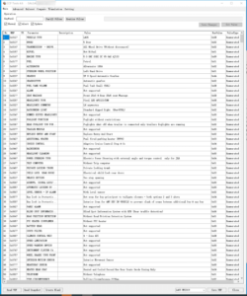
Remote Software Install SDD Pathfinder Work with JLR-DOIP-VCI-WF
JLR Diagnostics
JLR Diagnostics
JLR Diagnostics
JLR Diagnostics
JLR Diagnostics