The 007 Splash Screen is one of the most sought-after hidden customisations for the modern Land Rover Defender. Inspired by the vehicle's starring role in the James Bond film No Time to Die, this branded boot-up animation transforms the Pivi Pro infotainment display into a cinematic centrepiece every time you start the engine. In this definitive guide, we explain exactly what the 007 Splash Screen is, which L663 Defender models support it, and how to activate it safely using JLR Pathfinder diagnostic software.
What Is the 007 Splash Screen?
The 007 Splash Screen is a special-edition boot animation that replaces the standard Land Rover logo on the central touchscreen when the infotainment system initialises. It features the iconic James Bond gun-barrel sequence integrated with the Defender branding, creating a memorable start-up experience that resonates with enthusiasts and collectors alike.
This feature is not a software patch, aftermarket modification, or hacked firmware. It is an official calibration option built into the JLR infotainment software stack, which means it can be enabled and disabled entirely through legitimate diagnostic procedures without voiding the manufacturer's warranty or compromising system stability.
The splash screen exists within the Human-Machine Interface (HMI) configuration parameters of the Vehicle Configuration Code (CCF). Because it is a factory option, the graphic assets are already present on the infotainment module; they simply need to be selected as the active splash screen via the diagnostic tool.
Which Vehicles Support the 007 Splash Screen?
Support for the 007 Splash Screen is limited to specific vehicle platforms and infotainment hardware. The following table summarises compatibility across the JLR range.
| Vehicle | Platform Code | Model Years | Compatibility |
|---|---|---|---|
| Land Rover Defender | L663 | 2020 onwards | Fully Supported |
| Land Rover Discovery | L462 | 2017 onwards | Not Supported |
| Range Rover | L405 | 2013 onwards | Not Supported |
| Range Rover Sport | L494 | 2014 onwards | Not Supported |
| Range Rover Velar | L560 | 2017 onwards | Not Supported |
| Range Rover Evoque | L551 | 2019 onwards | Not Supported |
| Jaguar XF | X260 | 2016 onwards | Not Supported |
The 007 Splash Screen is exclusively available on the L663 Defender platform. This is because the feature was developed as part of the marketing collaboration between Land Rover and the James Bond franchise specifically for the Defender launch. Other JLR vehicles use different infotainment software branches that do not contain the 007 graphic assets.
Within the L663 range, support depends on the infotainment system generation. The feature requires the Pivi Pro system (10-inch or 11.4-inch touchscreen) with software level 21C or later. Earlier Pivi Pro iterations and the basic Pivi system (available on some base-specification Defenders) may not contain the splash screen option in the CCF.
Prerequisites for Activation
Before attempting to activate the 007 Splash Screen, ensure the following prerequisites are met:
- Vehicle: L663 Land Rover Defender (2020 onwards) with Pivi Pro infotainment.
- Diagnostic Software: JLR Pathfinder with an active subscription. Pathfinder is the only platform that supports CCF editing on L663 vehicles.
- Hardware Interface: A J2534-compatible VCI, such as the MongoosePro JLR or DrewTech CarDAQ.
- Internet Connection: Pathfinder requires a live internet connection to authenticate with the JLR server and download calibration files.
- Battery Stability: The vehicle battery must be fully charged, ideally maintained with a stabilised battery charger during the session.
- Laptop Power: The laptop running Pathfinder must be connected to mains power and configured to prevent sleep mode.
Attempting this procedure with SDD instead of Pathfinder will not work, as SDD does not support the L663 architecture. Similarly, using a non-J2534 cable or a generic OBD reader will fail to establish the secure communication channel required for CCF writes.
Step-by-Step Activation Process
The following procedure is based on the official Pathfinder workflow and has been tested on multiple L663 Defenders. Always back up the existing CCF before making changes, in case you need to revert to the original configuration.
Step 1: Verify Vehicle Compatibility
Connect Pathfinder to the vehicle and perform a full VIN read. Navigate to the Vehicle Information screen and confirm the vehicle is identified as an L663 Defender. Check the infotainment software level under the Telematics and Infotainment section. If the software level is below 21C, the 007 Splash Screen option may not be present. Consider updating the infotainment software via the standard over-the-air (OTA) update process before proceeding.
Step 2: Connect the Diagnostic Equipment
Connect the J2534 VCI to the OBD-II port and the laptop. Launch Pathfinder and allow it to complete the DDA (Diagnostic Device Agent) synchronisation. Ensure the vehicle ignition is in the "on" position (engine not running) and that the battery voltage remains above 12.5 volts throughout the session.
Step 3: Access the CCF Configuration
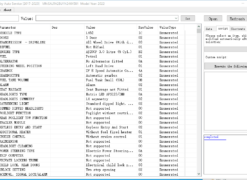
Navigate to the Vehicle Configuration menu in Pathfinder. Select the option to read the current CCF from the vehicle. This will download the full configuration file and display it in a structured tree view. Locate the branch labelled Infotainment / HMI / Splash Screen. The exact path may vary slightly depending on the Pathfinder software version, but it is typically found under the Body Control or Infotainment top-level category.
Step 4: Enable the 007 Splash Screen
Within the splash screen settings, you will see a list of available options. Common choices include "Default Land Rover," "Special Edition," and "007." Select the 007 option. Some versions of Pathfinder may present this as a dropdown menu; others may use radio buttons or checkboxes. If the 007 option is greyed out, verify that the infotainment software level is current and that the vehicle subscription status is active.
Step 5: Write the Configuration
After selecting the 007 Splash Screen, initiate the CCF write process. Pathfinder will display a confirmation dialog listing the changes to be applied. Review the changes carefully to ensure only the splash screen setting has been modified. Confirm the write and wait for the progress bar to complete. The write process typically takes 5 to 10 minutes. During this time, the infotainment screen may cycle through reboot sequences. This is normal behaviour.
Step 6: Cycle the Ignition and Verify
Once Pathfinder confirms the CCF write was successful, switch the ignition fully off and open the driver's door to ensure the infotainment system shuts down completely. Wait at least 60 seconds before restarting the vehicle. Turn the ignition to the "on" position and observe the central touchscreen. The 007 Splash Screen should appear within the first few seconds of the infotainment boot sequence. If the standard Land Rover logo still appears, repeat the ignition cycle. In rare cases, a second CCF write is required for the change to persist.
CCF Configuration Changes Explained
The CCF is a comprehensive data file that defines how a vehicle is built. It contains hundreds of parameters covering everything from engine type and drivetrain configuration to optional feature enablement. When you change the splash screen, you are modifying only one byte (or a small group of bytes) within a much larger file.
The splash screen parameter is typically stored in the HMI_Branding or SplashScreen_ID field. This field references an index table on the infotainment module that maps numeric identifiers to specific graphic assets. By changing the index value, you instruct the system to load a different asset at boot time without altering the underlying software or hardware.
Because the CCF is protected by checksums and digital signatures, modifications must be performed through authorised diagnostic tools. Attempting to edit the CCF manually or with unofficial software can corrupt the file, leading to DTCs (Diagnostic Trouble Codes), warning messages, and in extreme cases, a non-functional infotainment system.
Compatibility with Other Splash Screens
The L663 Defender supports multiple splash screen options simultaneously in the sense that the assets are all present on the module, but only one can be active at any given time. The available options generally include:
- Default Land Rover: The standard green-and-white Land Rover logo animation.
- Defender: A Defender-specific animation that highlights the L663 silhouette.
- 007: The James Bond gun-barrel sequence.
- Special Edition: May be available on limited-run models or via future updates.
Switching between splash screens does not affect any other functionality. Navigation, audio, climate, and telematics systems operate identically regardless of the splash screen selection. The change is purely cosmetic and has no impact on vehicle performance, warranty, or insurance.
Troubleshooting: When the 007 Splash Screen Does Not Appear
Despite the straightforward nature of this procedure, issues can arise. The following table outlines common problems and their solutions.
| Symptom | Cause | Solution |
|---|---|---|
| 007 option not visible in Pathfinder | Infotainment software level too old | Update the infotainment system via OTA or dealer service to software level 21C or later. |
| CCF write fails at 50% | Voltage drop or communication loss | Connect a battery maintainer, check VCI cable connections, and try a different USB port. |
| Pathfinder reports "unauthorised modification" | Subscription or licence issue | Verify your Pathfinder subscription is active. Contact JLR technical support if the error persists. |
| Splash screen reverts to default after restart | Infotainment software override or pending update | Disable automatic OTA updates temporarily. Re-apply the CCF change and confirm the write succeeds. |
| Screen is black after CCF write | Infotainment module in recovery mode | Cycle the ignition off for 5 minutes. If the screen remains black, perform a hard reset by disconnecting the battery for 10 minutes. |
| 007 graphic appears distorted or corrupted | Infotainment module hardware fault | Contact a JLR dealer for infotainment module diagnosis. The graphic assets themselves are stored on the module and cannot be replaced independently. |
Reverting to the Default Splash Screen
If you decide to return the vehicle to its original configuration, the process is identical to activation. Simply repeat the CCF write procedure and select the Default Land Rover or Defender option instead of 007. Because the original assets are never deleted, reverting is instantaneous and carries no risk.
We recommend saving a screenshot or note of the original CCF value before making any changes. This provides a quick reference if you ever want to revert without scrolling through the entire configuration tree. Pathfinder also offers a CCF backup function that can save the entire file to your laptop for archival purposes.
Why Activate the 007 Splash Screen?
Beyond the obvious novelty factor, the 007 Splash Screen adds a layer of personalisation that distinguishes your Defender from every other vehicle on the road. It is a conversation starter, a nod to the Defender's cinematic heritage, and a subtle enhancement that costs a fraction of traditional aftermarket modifications.
Unlike physical accessories, the splash screen does not affect the vehicle's aerodynamics, weight, or warranty status. It is also completely reversible, making it an ideal first step for owners who are curious about JLR coding and customisation but hesitant to make permanent changes.
Professional Activation Service
If you do not have access to Pathfinder or a J2534 VCI, SX-CAN offers a remote coding service for the 007 Splash Screen. The process takes approximately 45 minutes and requires only a stable internet connection and a compatible laptop. Our technician connects to your laptop via AnyDesk or TeamViewer, guides you through the VCI connection, and performs the activation remotely while you observe. The service is priced at £29, and we include a complimentary CCF backup before any changes are made.
Alternatively, you can purchase the CCF Tools 4.9 — $279, which includes a temporary Pathfinder session licence and step-by-step instructions for self-installation. Kits are delivered via email within 24 hours of purchase.
Conclusion
The 007 Splash Screen is a unique and officially supported customisation for the L663 Land Rover Defender that brings a touch of cinematic flair to every journey. Activation is straightforward for anyone with access to Pathfinder and a J2534 VCI, and it is fully reversible at any time. Whether you perform the procedure yourself or take advantage of our remote coding service, the result is a memorable start-up experience that celebrates the Defender's iconic role in the James Bond legacy.
For more JLR coding guides, explore our articles on KVM and BCM programming and Adaptive Cruise Control activation, or browse our full range of JLR Kit 2023.