Worldwide Shipping 24/7 Expert Support

Range Rover Velar Diagnostics & Coding — L560 Support

Dealer-level diagnostic access for the Range Rover Velar. Unlock dual-screen features, configurable ambient lighting, the iconic 007 splash screen, and adaptive cruise control with Pathfinder and CCF Editor.

L560 Platform
40+ Activatable Features
2017+ Model Year Coverage
24/7 Remote Support

Range Rover Velar Model Overview

The stylish mid-size SUV with extensive configuration and coding possibilities.

Velar (L560) — 2017+

The Range Rover Velar (L560) sits between the Evoque and the Sport in the Range Rover lineup, offering a unique blend of minimalist design and advanced technology. Introduced in 2017, the Velar was the first JLR vehicle to feature the InControl Touch Pro Duo infotainment system, which uses a dual-screen layout to separate climate controls from navigation and media. The electrical architecture is based on a high-speed CAN network with additional LIN and MOST connections for the premium Meridian audio systems and the configurable ambient lighting modules.

All Velar models, regardless of model year, require JLR Pathfinder for diagnostic access and module programming. The CCF Editor provides deep access to the vehicle's build configuration, allowing technicians to enable features that were disabled at the factory, change regional settings, and adjust the behaviour of the driver assistance systems. The Velar is particularly popular among enthusiasts for its extensive list of hidden features, which can transform the in-cabin experience without any physical modifications.

Shop Velar Tools

InControl Touch Pro Duo

The InControl Touch Pro Duo system is the centrepiece of the Velar's interior. It consists of a 10-inch upper touchscreen for navigation, media, and phone functions, and a lower 10-inch touchscreen for climate control, seat settings, and vehicle configuration. The system is controlled by a powerful Intel quad-core processor, and it supports over-the-air firmware updates when the vehicle is connected to a Wi-Fi network or when updated via Pathfinder and TOPIX Cloud.

From a coding perspective, the InControl Touch Pro Duo offers extensive customisation options. CCF Editor can unlock additional home screen layouts, enable hidden camera views, and activate the 007 splash screen that replaces the standard Range Rover boot-up animation. The system also supports custom shortcut configurations, which can be arranged to provide quick access to the most frequently used features. For vehicles with the full connectivity package, the remote app features can also be configured, including remote start, climate preconditioning, and vehicle locator services.

Genuine OEM Software Official licences, no cracks
Global Shipping from UK DHL Express worldwide
Remote Expert Support JLR-trained engineers
Secure Checkout Encrypted payments

Compatible Diagnostic Tools

Software and interface compatibility for the Range Rover Velar.

Vehicle Year SDD Pathfinder CCF Editor TOPIX Cloud Recommended Interface
Range Rover Velar (L560) 2017-2019 Partial Full Full Full DoIP VCI
Range Rover Velar (L560) 2020+ No Full Full Full DoIP VCI

Early 2017 Velar models may have limited SDD compatibility for basic read-only diagnostics, but Pathfinder is mandatory for all programming and CCF modifications.

Velar-Specific Features to Activate

Unlock the full potential of your Range Rover Velar with these popular coding options.

Dual-Screen Activation

Unlock additional home screen layouts and hidden camera views on the InControl Touch Pro Duo. The lower touchscreen can be configured to display extended off-road information panels and custom climate control shortcuts.

Configurable Ambient Lighting

Activate the full ambient lighting palette across door panels, footwells, and dashboard accents. Choose from ten colour zones and create custom lighting profiles that match your interior trim.

007 Splash Screen

Replace the standard Range Rover boot-up animation with the exclusive James Bond themed splash screen. Enabled via CCF Editor with a single parameter change and an infotainment module reboot.

Adaptive Cruise Control (ACC)

Enable ACC and queue assist on Velar models with the forward-facing radar. The system is calibrated via Pathfinder, and the instrument cluster displays the new cruise control modes.

Comfort Access & Auto-Lock

Activate passive entry, walk-away locking, and mirror fold on lock. The BCM is programmed to respond to proximity sensors, and the CCF is updated to enable the full comfort access package.

Known Issues & Coding Solutions

Common Velar problems that can be resolved through diagnostic software and module coding.

InControl Touch Pro Duo Freezing & Lag

One of the most frequently reported issues on the Velar is touchscreen lag, unresponsive inputs, and periodic system freezes. These problems are often caused by outdated firmware on the infotainment module or corrupted configuration files within the InControl system. The recommended solution is to perform a full firmware update via Pathfinder and TOPIX Cloud, which brings the infotainment system to the latest stable version.

In cases where the firmware update does not resolve the issue, a CCF reset can be performed. This restores the infotainment configuration to factory defaults, clearing any corrupted settings that may have accumulated over time. After the reset, the system can be recoded with the desired features, ensuring a clean and stable configuration. Our remote support team can perform both the firmware update and the CCF reset without you needing to visit a dealer.

Bluetooth & Smartphone Connectivity Problems

Velar owners often experience intermittent Bluetooth dropouts, failed phone pairing, and missing contact synchronisation. These issues are typically related to the telematics module configuration, which can be updated via CCF Editor. The module firmware may also need updating to support newer smartphone protocols, particularly for iOS and Android devices released after the vehicle's manufacture date.

Another common cause is an incorrect regional setting in the CCF. Vehicles imported from different markets may have telematics configurations that are incompatible with local mobile networks or app services. By adjusting the region code and enabling the correct connectivity package, the full range of InControl app features can be restored, including remote start, vehicle status checks, and journey logging.

Instrument Cluster Display Glitches

Some Velar models suffer from pixelation, flickering, or incorrect information displayed on the digital instrument cluster. These symptoms can indicate a failing cluster module, but in many cases they are caused by a software mismatch between the cluster and the infotainment system. Pathfinder can be used to check the software versions across the vehicle network and identify any modules that are out of sync.

The fix typically involves updating the instrument cluster firmware and performing a network configuration reset. After the update, the cluster must be recalibrated to ensure it displays the correct vehicle information, including fuel range, tyre pressures, and driver assistance status. The 12.3-inch digital cluster on the Velar is highly configurable, and CCF Editor can enable additional display modes such as the full-screen navigation view and the off-road information panel.

Driver Assistance System Faults

Adaptive cruise control, lane keep assist, and traffic sign recognition can occasionally trigger warning messages or become unavailable. On the Velar, these faults are often caused by calibration errors in the forward-facing camera or the radar sensor, rather than component failure. Pathfinder provides guided calibration routines for both sensors, which must be performed after windscreen replacement, camera replacement, or front-end body repairs.

CCF Editor can also be used to adjust the sensitivity of the driver assistance systems, enabling or disabling specific features such as steering intervention, haptic feedback, and audible warnings. For vehicles that have been imported from markets with different traffic regulations, the traffic sign recognition database can be updated to match local road signs. This ensures the system provides accurate speed limit information and responds correctly to local driving conditions.

Recommended Products

The most popular tools and software for Range Rover Velar diagnostics and coding.

In Stock JLR Pathfinder Offline 2023
Software

New JLR Pathfinder Offline 2023 Enhancement Full access

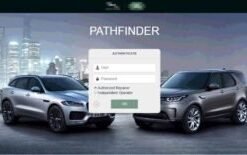
Mandatory for Velar (L560) diagnostics. Full dealer-level programming, module updates, and CCF access via TOPIX Cloud.

$179
View Details
In Stock JLR CCF Tools 4.9
Software

New JLR CCF Tools 4.9 CCF Editor for JLR 2017-2024

Unlock hidden features on your Velar including 007 splash screen, ambient lighting, and dual-screen layouts.

$279
View Details
In Stock JLR Enet WiFi Adapter Type-C
Hardware

JLR Enet WiFi Adapter Type-C

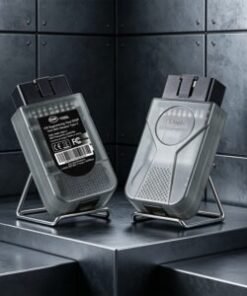
Wireless DoIP adapter for Velar 2017+ diagnostics. Enables flexible workshop positioning and stable high-speed communication.

$299
View Details Buy on Amazon

Range Rover Velar Diagnostics FAQ

Answers to common questions about Velar diagnostic and coding services.

What software is required for the Range Rover Velar (L560)?

All Range Rover Velar (L560) models require JLR Pathfinder for full diagnostics and programming. TOPIX Cloud is needed for online programming and dealer-level functions. A DoIP VCI interface is required for vehicle communication. SDD is not supported on this platform, so if you currently have an SDD-based setup, you will need to upgrade to Pathfinder and a compatible DoIP VCI to work on the Velar.

Can I activate the dual-screen InControl Touch Pro Duo features on my Velar?

Yes. The dual-screen InControl Touch Pro Duo system can be enhanced via CCF Editor. You can activate additional home screen layouts, hidden camera views, and customisable shortcuts. The lower touchscreen can also be configured to display extended climate controls and off-road information panels that are not enabled by default. Some features may require the latest infotainment firmware, which can be updated via Pathfinder and TOPIX Cloud.

How do I enable the 007 splash screen on my Velar?

The 007 splash screen replaces the standard Range Rover boot-up animation with a special James Bond themed sequence. This is enabled via CCF Editor by modifying the infotainment splash screen parameter. The vehicle must be connected with a DoIP VCI, and the infotainment module firmware must be compatible. After coding, the system reboots to display the new splash screen. If your firmware does not support the splash screen option, our team can advise on the required update.

Is adaptive cruise control (ACC) available on all Velar models?

ACC can be activated on Velar models that have the forward-facing radar sensor installed. The hardware is present on most HSE and above trim levels from 2018 onwards. If the radar is installed, ACC and queue assist can be enabled via CCF Editor and module calibration. Vehicles without the radar hardware cannot have ACC activated through software alone. We can check your VIN to confirm whether the necessary hardware is present on your vehicle.

What are common Velar infotainment issues and how can coding help?

Common Velar infotainment issues include slow touchscreen response, Bluetooth connectivity problems, and navigation map loading errors. Many of these can be resolved by updating the infotainment module firmware via Pathfinder and TOPIX Cloud. CCF Editor can also be used to reset the infotainment configuration to factory defaults, which often resolves persistent software glitches. For vehicles with imported configurations, adjusting the regional settings in the CCF can restore missing app features and connectivity services.

Can I change the ambient lighting colours on my Velar?

Yes. The Velar supports configurable ambient lighting when the ambient lighting hardware is present. CCF Editor can unlock the full colour palette, allowing customisation of door panels, footwells, and dashboard accents. Some earlier models may require a firmware update to the body control module before the extended colour options are available. If your vehicle was not fitted with the ambient lighting hardware from the factory, a physical retrofit would be required before the software activation can be performed.

Need Diagnostic Tools for Your Vehicle?

Browse our full range of JLR diagnostic software, CAN tools, and activation kits at the SX-CAN shop.

Shop Pathfinder Shop CCF Tools 4.9
Call Telegram WhatsApp