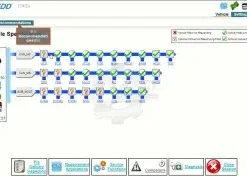
For independent workshops and mobile technicians working on Jaguar Land Rover vehicles, understanding the capabilities and limitations of JLR SDD offline programming is essential. Whether you are operating in a rural area with unreliable internet, travelling to customer locations, or simply want to minimise dependency on online services, offline programming with SDD offers a powerful and practical solution for the majority of diagnostic and repair tasks on pre-2017 vehicles.
What Is JLR SDD Offline Programming?
Offline programming refers to the ability of JLR SDD to programme, configure, and calibrate vehicle modules without requiring a live connection to Jaguar Land Rover's central servers. Unlike online programming, which authenticates each session and downloads the latest calibration files in real time, offline programming relies on calibration data and module files stored locally on your laptop.
This mode is particularly useful for routine diagnostic work. When you connect SDD to a compatible vehicle and select a programming task, the software checks its local database for the required calibration files. If the files are present, the programming session proceeds entirely over the vehicle's CAN bus via your Jaguar Landrover VCI interface for SDD. No external internet connection is needed once the software and data are installed.
However, it is important to understand that offline programming is not a universal substitute for online programming. Jaguar Land Rover designed certain security-sensitive functions to require online authentication, and the very latest calibration revisions may not be available in an offline database. Knowing where the boundary lies is the key to using SDD effectively in an offline environment.
Which Vehicles Support Offline Programming?
JLR SDD offline programming is supported across the full range of vehicles covered by the SDD platform, which includes Jaguar and Land Rover models manufactured between 2005 and 2016. This encompasses popular models such as the Discovery 3 and 4, Range Rover L322 and L405, Range Rover Sport L320 and L494, Jaguar XF, XJ, and XK, and the Evoque L538.
The extent of offline capability varies slightly depending on the vehicle's electronic architecture and the specific module being addressed. Early vehicles with simpler CAN networks tend to have the broadest offline support, while later models with more complex gateway configurations may restrict certain programming functions. In general, body control modules, engine control modules, and transmission control modules are well supported offline. Security modules such as the KVM (Keyless Vehicle Module) and immobiliser-related programming are more likely to require online authorisation.
For workshops that service a mix of vehicle ages, we recommend maintaining a complete offline calibration database alongside a JLR TOPIX Cloud Online Access for the occasions when online programming is unavoidable. This hybrid approach gives you the flexibility of offline work for routine tasks while ensuring you can access online functions when truly necessary.
Offline vs Online Programming: Limitations
Understanding the limitations of offline programming helps you set realistic expectations and avoid frustration. The most significant limitation is that offline programming cannot access the latest calibration files released by Jaguar Land Rover after your local database was created. If a module requires a very recent software update, the offline database may not contain it, and the programming session will either fail or install an older version.
Security-related programming is the second major limitation. Functions involving the immobiliser, key pairing, and certain BCM virginising procedures are designed to require online authentication as an anti-theft measure. This means that if you are replacing a lost key or installing a virginised KVM module, you will almost certainly need an online connection or dealer-level access through TOPIX Cloud.
Another consideration is warranty and traceability. Online programming sessions are logged by Jaguar Land Rover, creating an official record of the work performed. Offline sessions are not logged centrally, which means there is no external audit trail. For most independent workshops this is not a concern, but it is worth noting if you are working on vehicles still under manufacturer's warranty.
Finally, some guided diagnostic procedures within SDD are designed to query online databases for the latest technical bulletins and repair instructions. While this does not prevent you from performing the actual programming offline, it means you may not have access to the most recent repair guidance during the fault-finding process.
Prerequisites for Offline Programming
Before you attempt offline programming, ensure your setup meets all the necessary prerequisites. This preparation phase is critical for avoiding interrupted sessions, which can leave modules in an unrecoverable state.
First, verify that your laptop meets the full JLR SDD system requirements. You need a stable Windows 7 or Windows 10 installation, the correct Java runtime, and at least 40 GB of free disk space. An SSD is strongly recommended because programming sessions involve reading and writing large amounts of data, and slow disk access can cause communication timeouts.
Second, ensure your calibration database is complete and up to date. The offline database should include all NGI calibration files and module data for the vehicles you intend to service. At SX-CAN, we provide the latest calibration package with every JLR SDD Jaguar Land Rover Diagnostic, and we can update your database remotely if needed.
Third, use a reliable J2534 interface. The Jaguar Landrover VCI interface for SDD is the most trusted choice for SDD offline programming due to its stable drivers and broad compatibility. Ensure your interface firmware is up to date, as older firmware versions can cause intermittent communication errors during long programming sessions.
Fourth, always use a battery maintainer. Programming sessions can last twenty minutes or longer, and a voltage drop during the process can corrupt a module. A quality battery maintainer set to 14 volts is essential equipment for any workshop performing module programming.
Step-by-Step Offline Programming Process
Follow this process carefully for reliable offline programming with JLR SDD. Each step builds on the previous one, and skipping any stage increases the risk of errors.
Step 1: Prepare the Vehicle and Equipment
Connect a battery maintainer to the vehicle and verify it is maintaining stable voltage. Connect your J2534 VCI interface to the OBD-II port and to your laptop via USB. Launch JLR SDD and allow the application to fully initialise. Ensure no other diagnostic software is running, as driver conflicts can interfere with VCI communication.
Step 2: Identify the Vehicle
Enter the vehicle VIN manually or read it automatically through the VCI interface. SDD will identify the model, year, and specification from its local database. Confirm the vehicle identity matches the physical vehicle before proceeding. If the VIN cannot be read automatically, double-check your VCI connection and driver installation.
Step 3: Run a Pre-Programming DTC Scan
Before making any changes, run a full diagnostic scan to capture the current state of all modules. Save this report. If something goes wrong during programming, this baseline gives you a reference point and can help identify whether a fault was pre-existing or caused by the programming session.
Step 4: Select the Programming Task
Navigate to the module programming section in SDD. Select the specific module you need to programme or calibrate. Review the available procedures and confirm that the required calibration files are present in your local database. SDD will indicate whether each procedure is available offline or requires an online connection.
Step 5: Execute the Programming
Follow the on-screen prompts exactly. SDD will guide you through ignition cycles, waiting periods, and confirmation steps. Monitor the voltage and communication status indicators throughout. Do not disconnect the VCI, turn off the ignition, or allow the laptop to sleep until SDD explicitly confirms successful completion. Interrupting a programming session can brick a module, requiring expensive replacement or recovery.
Step 6: Verify and Post-Programming Checks
After programming completes, run a second full DTC scan. Compare the results to your pre-programming baseline. Clear any transient codes that appeared during the session. Test the functions of the programmed module to ensure it operates correctly. For example, if you programmed a BCM, test the central locking, interior lights, and window operation.
Troubleshooting Common Offline Programming Issues
Even with careful preparation, problems can occur. Here are the most common issues and how to resolve them.
Communication errors: If SDD reports a communication failure during programming, check your VCI connection first. Ensure the USB cable is secure and the VCI drivers are correctly installed. Try a different USB port, preferably USB 2.0 rather than 3.0, as some older VCIs have compatibility issues with USB 3.0 controllers. Restart SDD and reconnect the VCI before attempting the session again.
Calibration file not found: If SDD reports that a calibration file is missing, your local database does not contain the required data. Verify that your calibration package is complete and matches the vehicle specification. Contact SX-CAN support to obtain the missing files if necessary. Never attempt to use a calibration file from a different vehicle model, as this can cause serious module misconfiguration.
Voltage drop during programming: If the session fails partway through and the vehicle now has warning lights, check the battery voltage first. A weak battery or inadequate maintainer is the most common cause. Charge the battery fully and use a higher-capacity maintainer before attempting the session again. Some modules can be recovered by repeating the programming procedure with stable voltage.
Module not responding after programming: In rare cases, a module may appear unresponsive after a completed programming session. This is usually because the module requires a network reset or a specific ignition cycle sequence to initialise. Consult the SDD guided procedures for the affected module, or contact our remote support team for assistance.
Conclusion
JLR SDD offline programming is a powerful and practical capability that covers the majority of diagnostic and repair tasks on pre-2017 Jaguar Land Rover vehicles. With the right preparation, a complete calibration database, and a reliable J2534 interface, workshops can operate efficiently without constant online dependency. Understanding the limitations, particularly around security-related functions and the latest calibration files, allows you to plan your work and use online programming only when genuinely necessary.
At SX-CAN, we provide everything you need for successful offline programming: licensed JLR SDD software, complete calibration packages, tested J2534 interfaces, and expert remote support. Whether you are setting up your first diagnostic laptop or expanding an existing workshop, our team is here to ensure your SDD installation is configured correctly and your technicians are confident in its use.