Worldwide Shipping 24/7 Expert Support

Discovery Diagnostics & Coding — L462 & L319 Support

Full dealer-level diagnostic access for the Land Rover Discovery 4 and Discovery 5. Activate hidden features, configure off-road systems, and programme modules with SDD, Pathfinder, and CCF Editor.

2 Generations
50+ Activatable Features
2009+ Model Year Coverage
24/7 Remote Support

Discovery Model Overview

Two generations of Discovery, each with unique diagnostic requirements and coding capabilities.

Discovery 5 (L462) — 2017+

The Discovery 5 represents a complete shift in architecture from its predecessor. Built on the D7u platform, the L462 introduced an extensive CAN network with over 70 electronic control modules. The electrical system uses a mix of high-speed CAN, low-speed CAN, and LIN bus networks, making a modern diagnostic interface essential. Post-2020 models benefit from enhanced Pivi Pro infotainment, while earlier models use the InControl Touch Pro system. All L462 vehicles require Pathfinder for module programming and online functions, with TOPIX Cloud providing dealer-level access to build configuration files and firmware updates.

Common diagnostic tasks on the L462 include air suspension calibration, Terrain Response 2 optimisation, driver assistance system configuration, and infotainment feature activation. The L462 also supports a wide range of comfort and convenience features that can be unlocked via CCF Editor, including configurable ambient lighting, seat memory profiles, and passive entry activation.

Shop Discovery 5 Tools

Discovery 4 (L319) — 2009-2016

The Discovery 4 (L319) carries the legacy of the earlier D2 platform but with significant electrical upgrades. While it retains the classic body-on-frame architecture, the L319 introduced advanced driver assistance systems, an enhanced Terrain Response system, and a more sophisticated CAN network than the Discovery 3. The 2014 facelift brought further electronic refinements, including an updated infotainment system and revised module architecture.

SDD is the primary diagnostic tool for the L319, covering all model years from 2009 through 2016. For late 2016 vehicles, Pathfinder may be used for certain functions, though SDD remains the most reliable platform. Common coding tasks include tow bar module configuration, suspension height calibration, and the activation of auxiliary heating and ventilation features. The L319 also supports retrofitted options such as rear-view cameras and upgraded audio systems, provided the CCF is updated accordingly.

Shop Discovery 4 Tools
Genuine OEM Software Official licences, no cracks
Global Shipping from UK DHL Express worldwide
Remote Expert Support JLR-trained engineers
Secure Checkout Encrypted payments

Compatible Diagnostic Tools

Software and interface compatibility for each Discovery generation.

Vehicle Year SDD Pathfinder CCF Editor TOPIX Cloud Recommended Interface
Discovery 5 (L462) 2017-2019 Partial Full Full Full DoIP VCI
Discovery 5 (L462) 2020+ No Full Full Full DoIP VCI
Discovery 4 (L319) 2009-2014 Full No Full Partial JLR VCI or Mongoose
Discovery 4 (L319) 2014-2016 Full Limited Full Partial JLR VCI or DoIP VCI

Partial SDD support on early L462 models covers basic diagnostics only. Pathfinder is required for module programming and CCF changes.

Common Features to Activate

Unlock hidden comfort, convenience, and safety features on your Discovery.

Comfort Access / Passive Entry

Enable keyless entry and walk-away locking on Discovery 5 models. The CCF is updated to recognise the passive entry hardware, and the BCM is programmed to respond to proximity sensors.

Configurable Ambient Lighting

Unlock the full ambient lighting palette on L462 models. Ten additional colour zones can be activated, allowing customisation of door panels, footwells, and dashboard accent lighting.

Auto-Lock & Auto-Fold Mirrors

Programme the Discovery to automatically lock when walking away and fold door mirrors on locking. This feature also enables horn confirmation and visual indicator flash on lock/unlock.

360-Degree Surround Camera

Activate the 360-degree camera system on vehicles with the required hardware. The CCF enables the surround view module, and the infotainment system is updated to display the overhead camera feed.

Adaptive Cruise Control (ACC)

Enable ACC and queue assist functionality on Discovery 5 models with the forward-facing radar installed. The driver assistance module is calibrated, and the instrument cluster displays the new cruise modes.

Discovery-Specific Coding Notes

Technical guidance for suspension, Terrain Response, and towing configuration.

Electronic Air Suspension Calibration

The Discovery's electronic air suspension system requires precise calibration after any suspension work, including spring replacement, compressor fitting, or height sensor adjustment. On the L462, Pathfinder provides the ride-height calibration routine, which must be performed on a level surface with the vehicle unladen. The L319 uses SDD for the same procedure, with the additional requirement that the diagnostic session remain active during the full calibration cycle. Incorrect calibration can lead to uneven ride height, adaptive damping errors, and fault codes in the suspension control module.

It is also possible to adjust the default ride height and access height settings via CCF Editor on both generations. This is particularly useful for vehicles that have been fitted with aftermarket suspension components or raised for off-road use. Always save the original CCF before making any suspension-related changes, as incorrect values can trigger limp-home mode and disable the air suspension entirely.

Terrain Response System Optimisation

Terrain Response on the Discovery is one of the most sophisticated off-road systems in any production vehicle. The CCF Editor allows workshop technicians and enthusiasts to modify the default behaviour of each Terrain Response mode. On the L462 with Terrain Response 2, you can adjust the throttle response curves, traction control intervention thresholds, and differential locking strategies for each of the auto, grass/gravel/snow, mud/ruts, sand, and rock crawl modes.

For the L319, the earlier Terrain Response system offers fewer adjustable parameters but still supports significant customisation. Common modifications include disabling the automatic mode selection on manual transmission models, enabling the extended rock crawl profile on automatic vehicles, and adjusting the hill descent control speed increments. These changes require a clear understanding of the vehicle's drivetrain and should only be performed by experienced technicians or under remote guidance.

Towing & Trailer Module Configuration

Once a tow bar is physically fitted, the Discovery must be configured to recognise the trailer electrical module. On the L462, this involves coding the trailer control module, enabling the tow hitch option in the CCF, and updating the rear electronic module to support the trailer lighting harness. The L319 follows a similar procedure through SDD, with the additional step of configuring the trailer stability assist system if the vehicle is equipped with the advanced driver assistance package.

Beyond basic lighting recognition, the towing configuration can also enable trailer reverse guidance, which overlays the predicted trailer path on the surround camera display. This feature is available on L462 models with the 360-degree camera system and requires both the camera module and the trailer module to be correctly coded. The maximum trailer weight and tongue weight values can also be adjusted in the CCF to match the installed tow bar rating, ensuring the vehicle's stability control and braking systems operate within safe parameters.

Driver Assistance System Calibration

Modern Discovery vehicles are equipped with an extensive array of driver assistance systems, including lane keep assist, traffic sign recognition, and driver condition monitoring. After windscreen replacement or camera module replacement, these systems require calibration using a diagnostic tool. On the L462, Pathfinder provides the guided calibration routines for the forward-facing camera and the surround camera system, which must be performed in a controlled environment with the correct calibration targets.

The L319's earlier driver assistance systems, including the parking distance sensors and the rear-view camera, also require calibration after component replacement. SDD provides the necessary routines for these systems, though the process is less complex than on the newer models. In both cases, it is essential to clear all existing fault codes before starting the calibration, as unresolved faults can prevent the calibration routine from completing successfully.

Recommended Products

The most popular tools and software for Discovery diagnostics and coding.

In Stock JLR SDD diagnostic software
Software

JLR SDD Jaguar Land Rover Diagnostic

Legacy diagnostic software for Discovery 4 (L319) and early Discovery 5. Full SDD coverage with calibration files.

$149
Buy Now
In Stock JLR Pathfinder diagnostic software
Software

JLR Pathfinder Offline 2023

Full dealer-level diagnostic software for Discovery 5 (L462). Includes programming and CCF access.

$179
Buy Now
In Stock JLR CCF Tools 4.6
Software

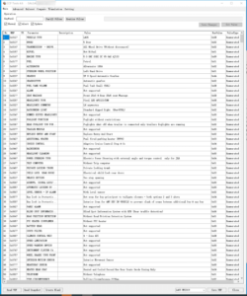
JLR CCF Tools 4.6 JLR CCF Editor for Pathfinder SDD

Configure and customise your Discovery's build settings. Essential for feature activation and module configuration.

$69
Buy Now

Discovery Diagnostics FAQ

Answers to common questions about Discovery diagnostic and coding services.

What software do I need for my Discovery 5 (L462)?

For the Discovery 5 (L462) 2017 and newer, JLR Pathfinder is the required diagnostic software. It supports online programming, module configuration, and dealer-level functions via TOPIX Cloud. A compatible DoIP VCI interface is also necessary for full vehicle communication. Early 2017 models may have limited SDD compatibility for basic diagnostics, but Pathfinder is essential for any programming or CCF changes.

Can I still use SDD on a Discovery 4 (L319)?

Yes. The Discovery 4 (L319) from 2009 to 2016 is fully supported by JLR SDD. For 2016 model year vehicles, a later SDD version may be required. Pathfinder can also be used on some late 2016 Discovery 4 models for certain functions, but SDD remains the primary tool for this generation. If you own a 2014-2016 L319, it is worth checking with our team to determine whether Pathfinder or SDD is better suited to your specific vehicle.

How do I activate comfort access on a Discovery?

Comfort access activation on a Discovery requires module coding via CCF Editor. The vehicle must be connected with a compatible VCI, and the CCF configuration must be modified to enable passive entry. After coding, the Body Control Module (BCM) update may be required to ensure the proximity sensors and keyless entry antennas respond correctly. Our remote support team can guide you through this process, including a pre-check of your vehicle's hardware to confirm that the necessary antennas and door handle sensors are present.

What is involved in Terrain Response coding on a Discovery?

Terrain Response coding allows you to fine-tune the off-road settings for specific applications. Using CCF Editor or Pathfinder, you can adjust throttle mapping, differential behaviour, and traction control profiles. Discovery 5 models with the electronic air suspension benefit from additional ride-height and damping calibration options. It is important to note that these changes affect the vehicle's safety systems, so they should only be made by experienced technicians or under expert guidance. We recommend saving the original CCF before any modifications.

Can I configure my Discovery for towing after fitting a tow bar?

Yes. Once a tow bar is physically installed, the Discovery's electrical system must be configured to recognise the tow module. This involves coding the trailer module, enabling the tow hitch option in the CCF, and in some cases updating the vehicle's electrical architecture to support the additional load on the lighting circuits. This ensures the trailer lights, brake controller, and stability systems function correctly. For L462 models, the trailer reverse guidance feature can also be activated if the 360-degree camera system is present.

Is 360-camera activation possible on the Discovery 5?

Yes, provided the vehicle has the necessary camera hardware installed. The 360-degree surround camera system can be activated through CCF Editor by enabling the surround camera option and updating the infotainment and camera module firmware. If the vehicle is missing the physical cameras, hardware retrofitting is required first. Our team can check your VIN to confirm whether the camera hardware is present and advise on the full activation process, including any additional wiring or module upgrades that may be needed.

Need Diagnostic Tools for Your Vehicle?

Browse our full range of JLR diagnostic software, CAN tools, and activation kits at the SX-CAN shop.

Shop Pathfinder Shop JLR SDD
Call Telegram WhatsApp