

Demo JLR DOIP Addon Soft for TOPIX Cloud

$69.00
Get dealer-level diagnostics, coding, and programming on 2017–2026 Jaguar Land Rover vehicles — with a JLR Enet cable, one add-on software, and a TOPIx cloud subscription. No approved premises. No five-figure annual fees. Just three things, and you’re in.
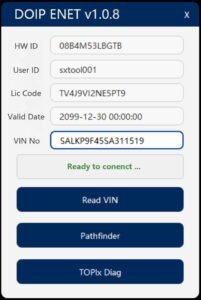
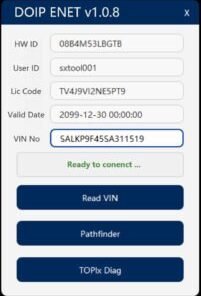
The Demo JLR DOIP Addon Soft for TOPIX Cloud allows you to test full DoIP functionality with Jaguar Land Rover vehicles. You download the software, connect your Ethernet interface, and experience direct cloud programming, VBF file access, and vehicle configuration. The demo provides a limited‑time trial so you can confirm compatibility and performance before purchasing the full license.
Demo JLR DOIP Addon Soft for TOPIX Cloud – Test DoIP Programming with JLR Cloud Services
Modern Jaguar Land Rover vehicles rely on Diagnostics over Internet Protocol (DoIP) for high‑speed communication between your diagnostic tool and the vehicle’s electronic control units. When you connect via Ethernet, TOPIX Cloud services unlock direct access to genuine firmware updates, VBF files, and vehicle‑specific configuration data. The Demo JLR DOIP Addon Soft for TOPIX Cloud provides a risk‑free way to test this entire workflow before you commit to a full license. You download the addon, install it onto your laptop, and immediately begin a trial that demonstrates how DoIP transforms your diagnostic sessions.
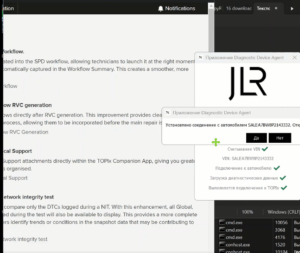
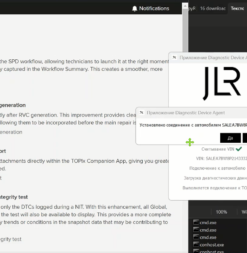
Many workshops continue using older J2534 pass‑thru devices that operate over CAN and suffer from slow data transfer. The DoIP protocol moves data over standard Ethernet, which delivers programming speeds up to ten times faster than CAN‑based interfaces. The demo addon lets you experience this speed firsthand. You connect an Ethernet‑capable interface—such as the SX‑CAN JLR Engineering Tool or an X‑OBD Enet Cable—to your vehicle, configure a static IP, and launch the addon. Within seconds, the software detects the vehicle and establishes a secure tunnel to the TOPIX Cloud server.
What the Demo Addon Includes
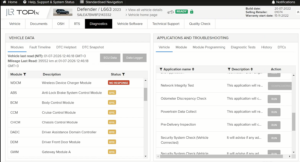
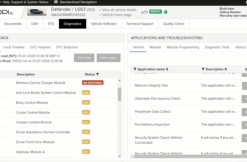
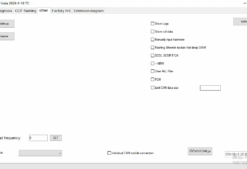
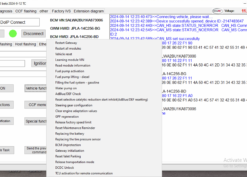
The demo delivers a fully functional DoIP communication stack, complete with a user interface that guides you through connecting to the cloud and selecting vehicle services. You can run a full system scan, read and clear fault codes, and stream live data. For programming tests, the addon allows you to download a limited number of VBF files from TOPIX and flash one demonstration module on a designated test vehicle (if you hold the appropriate security approvals). This experience proves that your hardware, software, and network configuration all interact correctly with JLR’s secure servers.
You also gain temporary access to the security authentication routines that protect modern ECUs. The demo confirms that you can pass the seed‑key exchange and unlock programming functions. You see exactly how the addon handles the encryption handshake without buying the full version first.
Simple Installation and Setup
Setting up the demo requires only a few steps. You download the installer from the secure SX‑CAN.com download area after placing a free order. The installer runs quickly and places the addon into your existing JLR diagnostic software folder. You then open your laptop’s network settings, set a static IP address in the 169.254.x.x range, and connect your DoIP interface to the vehicle. When you launch the diagnostic application, the addon appears as a new communication protocol option. Select it, and the software instantly tests the connection to the cloud. No complicated configuration or additional hardware activation steps interfere with your trial.
Verify Compatibility Before You Purchase
Workshops vary in their hardware setups, firewall restrictions, and internet connection speeds. The demo addon gives you the time to verify that your system meets the requirements for cloud‑based DoIP programming. You confirm that your Ethernet adapter passes data without packet loss, that your firewall allows the necessary TCP ports, and that your internet connection maintains the low latency required for live security handshakes. You also confirm that your vehicle’s gateway responds correctly to DoIP activation and routes the traffic to the intended ECU. Completing these checks during the trial prevents any surprises after a full license purchase.
What Happens After the Demo Expires
The demo operates for a limited period—typically seven days—after which the DoIP communication module disables and stops passing programming data. However, the diagnostics and fault code functions remain accessible through standard CAN protocols. You can purchase a full license at any time, and the license key instantly reactivates the DoIP addon with all its features permanently unlocked. Your demo settings, configuration files, and downloaded VBF files remain untouched, so you resume work immediately without reinstallation.
Supported Vehicles and Interfaces
You can use the demo with any Jaguar Land Rover vehicle equipped with DoIP (typically 2016 model year and later). That includes the full fleet of Jaguar models—XE, XF, XJ, F‑Pace, E‑Pace, I‑Pace, and F‑Type—and Land Rover models—Range Rover, Range Rover Sport, Range Rover Evoque, Range Rover Vel, Discovery, Discovery Sport, and Defender. On the tool side, the addon works with any Ethernet‑capable JLR interface, including the SX‑CAN JLR Engineering Tool, the X‑OBD JLR Enet Cable, and select J2534 devices that include an RJ45 port. To ensure compatibility, review our online interface guide or contact our support team before placing your demo order.
Try the DoIP Addon Today—No Risk, Full Confidence
Download the Demo JLR DOIP Addon Soft for TOPIX Cloud and test every feature before you purchase. Experience the speed of Ethernet diagnostics and direct cloud programming on your own vehicle.
Related products


JLR Engineering
JLR Engineering
JLR Engineering

JLR Engineering

JLR Engineering
JLR Engineering
JLR Engineering
JLR Engineering